Ask your customers anything, right after they buy.
Add a short survey to your Shopify Thank You page in minutes. Start from a ready-made recipe, find out how customers found you and why they bought, and see the revenue behind every answer.
- Free to start
- Live in minutes
- No code
- Podcast
- A friend
- Other
Live on your store in about two minutes
Install the app
One click from the Shopify App Store. It asks for read-only access to your languages, markets, products and customers.
Pick a recipe or build your own
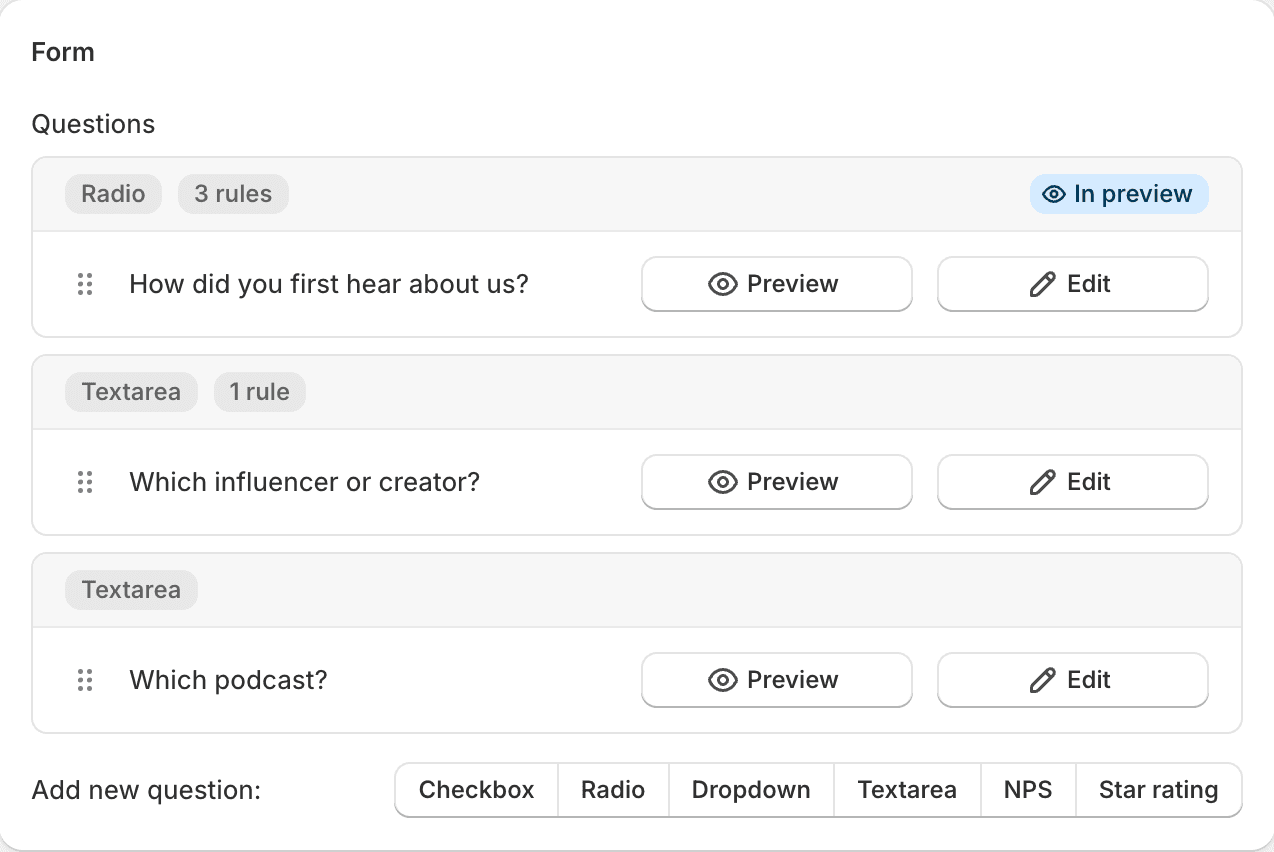
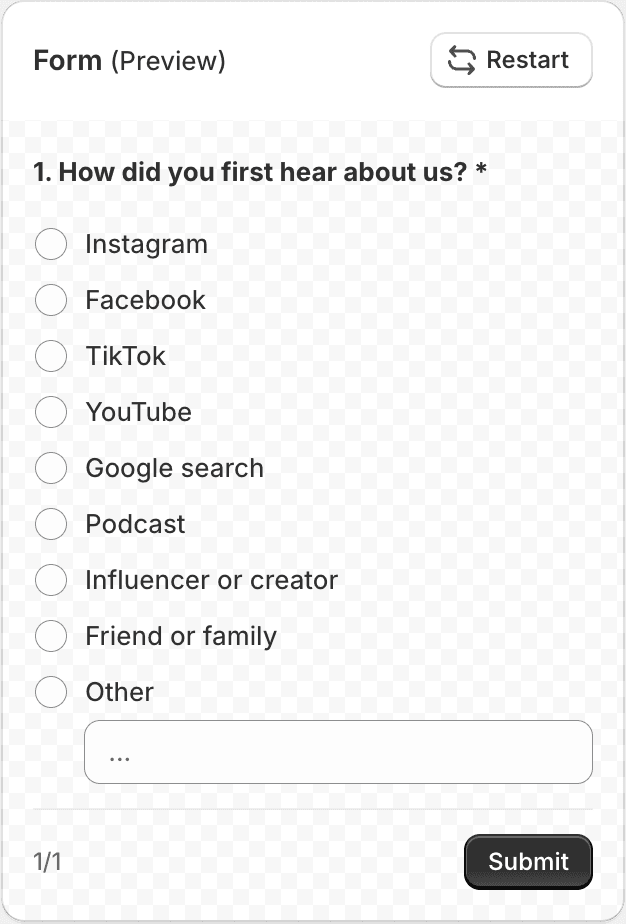
Install a ready-made survey with one click and adjust it, or add your own questions, drag them into order and add rules to skip questions. Click through it in the live preview.
Add it to your Thank You page
Drop the Cool& - Post Purchase Survey block in Shopify’s checkout editor and paste in your survey’s Form ID. Done.
Start with a survey that already works
Not sure what to ask? Install one of six ready-made surveys with a click. Questions, answer options and follow-up rules are all set up, in English or Dutch, and every word is yours to change.
How did you hear about us?
See which channels bring in your buyers, with a follow-up for the creator or podcast they mention.
3 questions · follow-upsNet Promoter Score
Measure loyalty from 0 to 10, and ask detractors, passives and promoters each their own follow-up.
4 questions · follow-upsWhat almost stopped you?
Find the doubts that cost you sales: price, shipping, trust or checkout. Buyers who had none are done in one click.
2 questions · follow-upsWhy customers buy
Learn who the order is for (gifts!) and what made buyers choose you over others.
2 questionsCheckout experience
A quick star rating of how easy ordering was. Low scores get asked what could go smoother.
2 questions · follow-upsNew vs returning customers
First-time buyers say where they found you. Returning customers say why they came back and how likely they are to recommend you.
2 surveys · audience set up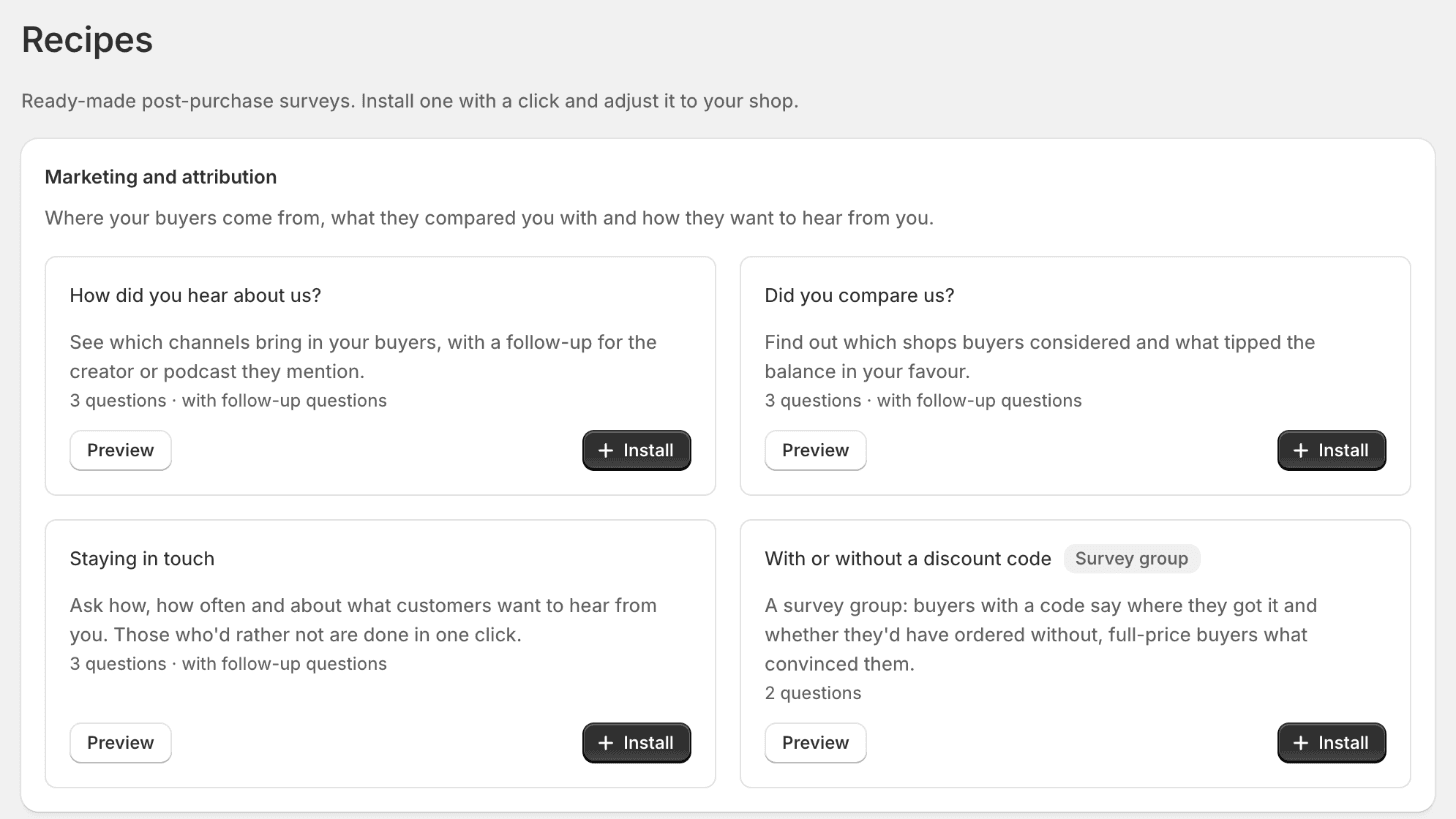
The right moment for an honest answer
Customers who just bought are happy to help. Ask them the questions your analytics can’t answer.
“How did you hear about us?”
Find out which channels really bring in customers, and how much they spend, including podcasts, influencers and word of mouth that your analytics can’t see.
Single choice + “Other”“What almost stopped you from buying?”
Spot the doubts about shipping, sizing or price that cost you sales, in your customers’ own words.
Open text“What else would you like us to sell?”
Let your customers tell you what to stock next.
Multiple choiceSee what every answer is worth
Each response is saved with the order it came from. The summary shows the revenue and average order value behind every answer, so you know which channels bring in your best customers, not just the most.
- Revenue and AOV per answerEvery option and every score shows the order total of the customers who chose it, and their average order value.
- Spot your most valuable customersThe channel that brings the most customers isn’t always the one that brings the biggest orders. Now you can see both.
- Works with any questionChannels, reasons to buy, NPS scores or star ratings. Revenue is shown in each order’s own currency.
- Included in every planNo extra fees and no setup. It starts counting with your next response.
- Instagram$28,428 · AOV $69.00412 (38%)
- A friend$18,662 · AOV $62.00301 (28%)
- Podcast$19,158 · AOV $103.00186 (17%)
- Google$10,120 · AOV $55.00184 (17%)
Everything you need, nothing you don’t
No dashboards to learn, no sales calls. Every feature is included in every plan.
Ready-made recipes
Six proven post-purchase surveys, from channel attribution to NPS, installed with one click and yours to edit.
Six question types
Dropdown, single choice, multiple choice, open text, NPS and star rating. Add an “Other” option so shoppers can type their own answer, and mark questions required or optional.
Skip logic
Send customers to a different question based on their answer, or end the survey early. See every rule at a glance on the flow canvas.
Live preview
Click through your survey as a customer would, following your rules, right next to the editor.
Target an audience
Show a survey by language, country, market, products or collections in the order, order total, discount code, first or returning customer, or customer tag.
Multi-page surveys
Split longer surveys into pages, with optional page titles, an intro screen and a thank-you screen. Duplicate a survey to start the next one.
Matches your store
Pick background, border, corner radius and spacing so the block looks at home on your checkout.
Clear results
See views, responses and completion rate, a responses-over-time chart, a summary per answer and every individual response. Pick any period, from today to all time.
Revenue per answer
Every option and every score shows the revenue and average order value of the customers who chose it.
Shopify Flow
Every completed survey can start a Shopify Flow workflow with the answers, the customer and the order. Tag customers, add order notes or alert your team.
CSV export & Klaviyo
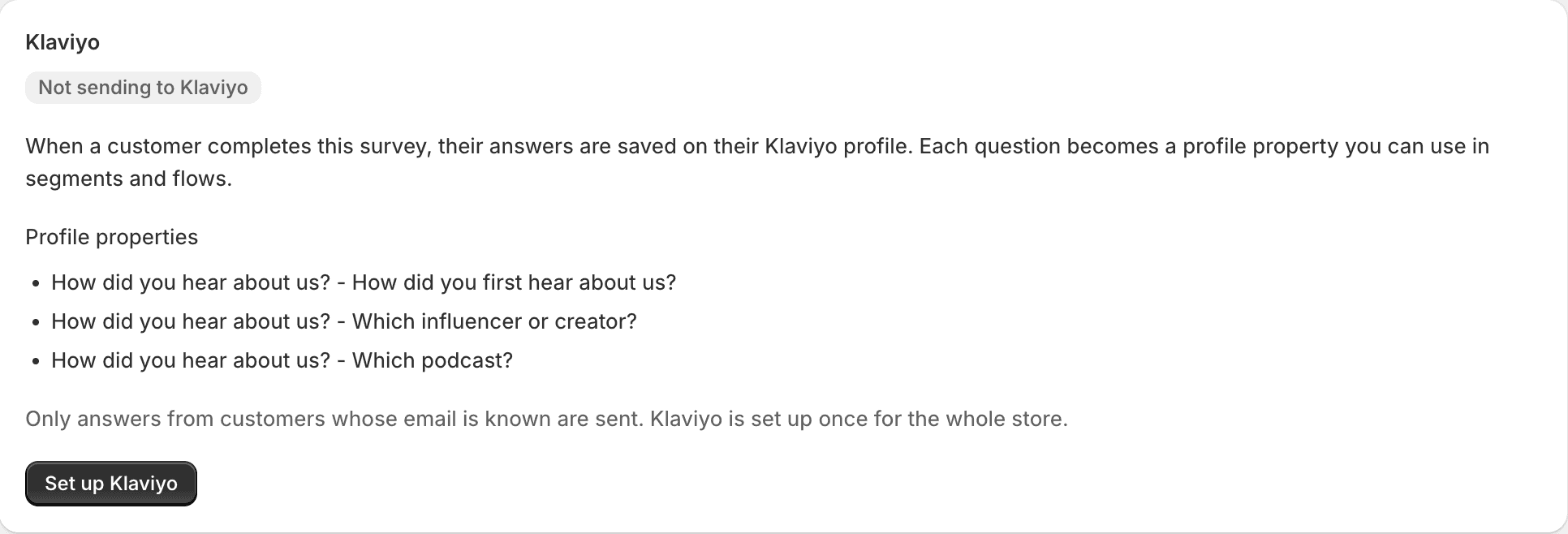
Download responses as CSV, or save answers to customer profiles in Klaviyo for segmentation.
English and Dutch admin
The app follows your Shopify admin language, so you and your team work in English or Dutch. The survey itself can be in any language.
Only ask what matters
Add rules to any question and each customer gets the follow-up that fits their answer. Short for them, more useful for you.
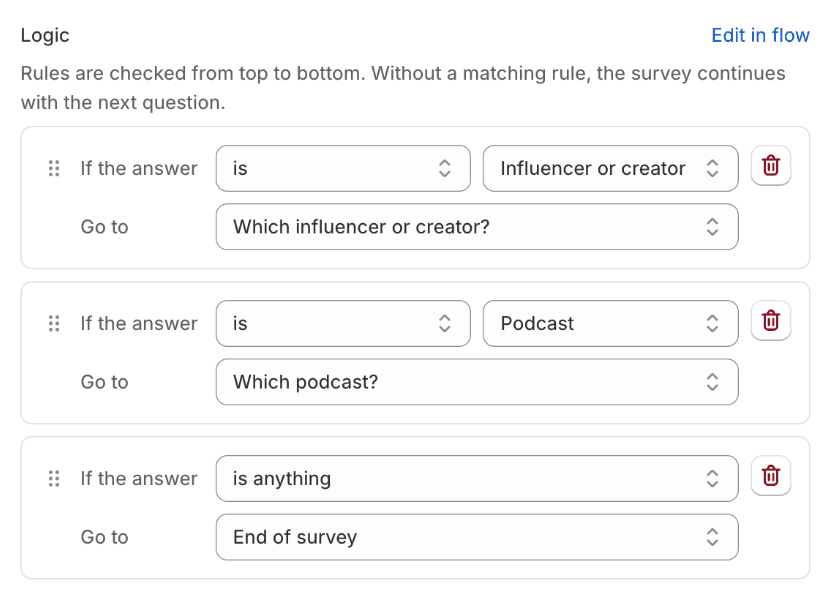
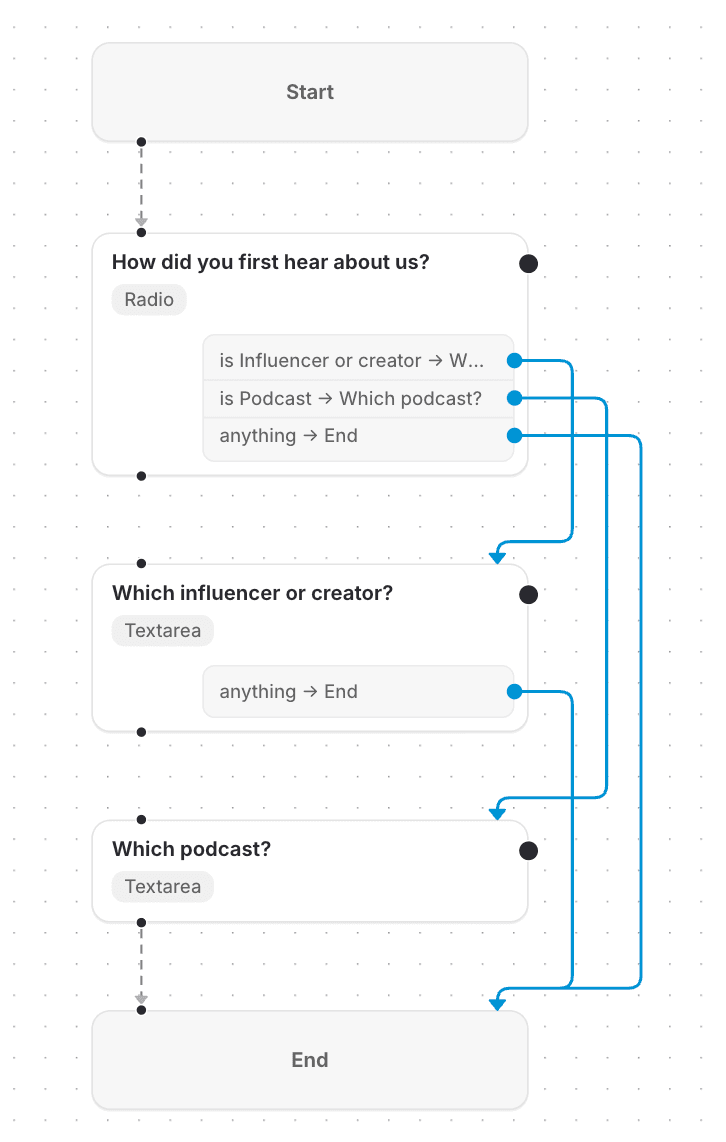
→ Ask what we could do better
→ Ask which podcast
→ End of survey
The right survey for every customer
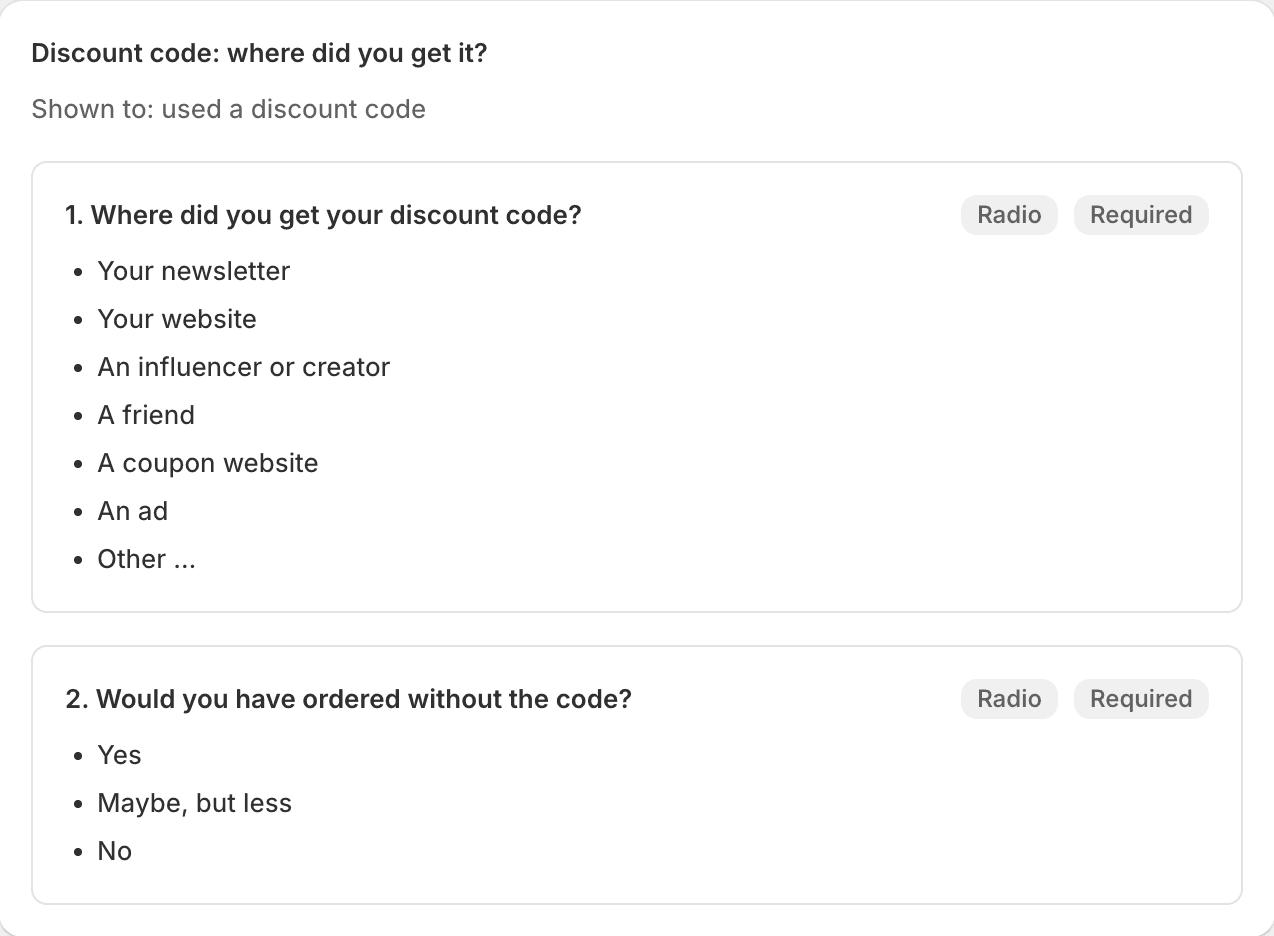
Put your surveys in a group and give each one an audience: a language, a country, what’s in the order, or who the customer is. Each shopper sees the first survey that matches, with a default for everyone else. All from one checkout block.
→ Find your best channels
→ Fix your size guide before the returns come in
→ Ask in your customer’s language
Act on every answer, automatically
Every completed survey can start a Shopify Flow workflow. The trigger carries the answers, the customer and the order, so you can tag customers, add an order note or alert your team without leaving Shopify.
- One trigger for every survey“Survey response submitted” starts your workflow with the answers, the customer and the order. Add a condition on the Form ID to run a workflow for one survey only.
- Every answer, ready to useEach answer is a field in Flow, next to the NPS score, star rating, order total and whether it was a first order. The answers summary gives you everything as one text.
- On by default, off per surveyTurn it on or off on each survey’s Integrations tab. Responses are only sent while a workflow uses the trigger.
- Nothing extra to pay forShopify Flow is Shopify’s own automation app, free to install. The trigger is included in every plan.
- TriggerSurvey response submittedCool& - Post Purchase Survey
- ConditionResponse › NPS score is at most 6Form ID is su_8f3k2
- ActionSend internal emailTo support, with the answers summary

→ Add the customer tag “podcast”
→ Add a note to the order
→ Email support with the answers
Light on your store, light on data
- Read-only permissionsThe app never changes your store. It reads your languages and markets, your products and customers to show a survey to the right buyers, and orders only to hand them to Shopify Flow.
- No theme scriptsBuilt on Shopify Checkout Extensibility, so nothing is injected into your theme.
- Never blocks a saleThe survey shows after the order is placed, so it can’t get in the way of payment.
- Your data, your exportDownload every response as CSV at any time, or send it on to Shopify Flow or Klaviyo. Klaviyo keys are stored encrypted.
Simple pricing that stays small
Pay for responses, not for orders or revenue. Every feature in every plan.
Free for everyone during launch. The plans below start later, and you’ll get notice before anything changes.
Free
$0 / month
50 responses / month
For new stores trying it out.
- Unlimited surveys and questions
- Ready-made recipes
- Skip logic and live preview
- Survey groups by language and audience
- Response summaries, completion rate and responses over time
- Revenue and AOV per answer
- Shopify Flow trigger
- CSV export
- Klaviyo profile sync
Starter
$14 / month
1,000 responses / month
For growing stores.
- Unlimited surveys and questions
- Ready-made recipes
- Skip logic and live preview
- Survey groups by language and audience
- Response summaries, completion rate and responses over time
- Revenue and AOV per answer
- Shopify Flow trigger
- CSV export
- Klaviyo profile sync
Unlimited
$24 / month
Unlimited responses
For busy stores. No caps.
- Unlimited surveys and questions
- Ready-made recipes
- Skip logic and live preview
- Survey groups by language and audience
- Response summaries, completion rate and responses over time
- Revenue and AOV per answer
- Shopify Flow trigger
- CSV export
- Klaviyo profile sync
The insights, at a fraction of the price
Revenue per answer, skip logic, audience targeting and Shopify Flow are in every plan, including Free. No per-order fees, no sales calls.
| App | Paid plans from | Free option |
|---|---|---|
| Cool& - Post Purchase Survey | $14 / month (unlimited $24) | Up to 50 responses |
| Fairing | $49 / month | Up to 200 orders |
| KnoCommerce | $19 / month | No free plan |
| Zigpoll | $39 / month | Up to 50 responses |
| Grapevine | $25 / month | Trial only |
Starting prices as listed on the Shopify App Store, October 2026.
Questions, answered
Does it slow down my checkout?
No. The survey appears on the Thank You page, after the order is placed. It runs as a native Shopify checkout extension, so there are no scripts in your theme and nothing that can block payment.
Which Shopify plans does it work on?
Every plan. Thank You page blocks are part of Shopify Checkout Extensibility, which is available to all stores.
Do I have to write the survey myself?
No. The app comes with six ready-made recipes: “How did you hear about us?”, Net Promoter Score, “What almost stopped you?”, “Why customers buy”, “Checkout experience” and a “New vs returning customers” survey group. Install one with a click and you get a normal survey, with questions, answer options and follow-up rules set up, that you can edit like any other.
What can I ask?
Anything you like, using dropdowns, single choice, multiple choice, open text, NPS (0–10) or a star rating. Add an “Other” option to any choice question, make questions required or optional, and split longer surveys over several pages.
Can I ask different questions depending on the answer?
Yes. Add rules to a question, such as “if the score is at most 6, go to” a follow-up question, or end the survey early. The flow canvas shows every rule at a glance, and the live preview lets you click through the survey as a customer would.
Can I show different surveys to different customers?
Yes. Put surveys in a survey group and give each an audience: language, country, market, products or collections in the order, order total, discount code, first or returning customer, or customer tag. Each shopper sees the first survey that matches, with a default for everyone else.
Can I see which answers bring in the most revenue?
Yes. The summary shows the revenue and average order value of the customers behind every answer, for choice questions, NPS and star ratings. So you can see, for example, that podcast listeners spend more per order than Instagram followers. Stores that sell in several currencies see one line per currency.
Which languages are supported?
Any language. You write the survey text yourself, and a survey group shows each shopper the version that matches their language, with a default for everyone else. The app itself follows your Shopify admin language and is available in English and Dutch; recipes are installed in that language too.
Can I get my data out?
Yes. Export responses to CSV at any time, send answers straight to your customers’ Klaviyo profiles, or start a Shopify Flow workflow with every response.
Does it work with Shopify Flow?
Yes. The “Survey response submitted” trigger starts your Shopify Flow workflows when a customer completes a survey, with every answer, the NPS score or star rating, the customer and the order. Use it to tag customers, add an order note or email your team. It’s on by default, can be switched off per survey, and is only sent while a workflow uses it.
What does it cost?
It’s free during launch. Paid plans will start at $14 a month, with a free plan for up to 50 responses a month. You’ll get notice before anything changes.
How do I cancel?
Uninstall the app from your Shopify admin. There’s no contract and nothing else to do.
Start asking today
Install for free, publish your first survey in minutes and read your first answers after your next order.